SpeedTest- Wifi Analyzer 5G 4G1.4
Publisher Description


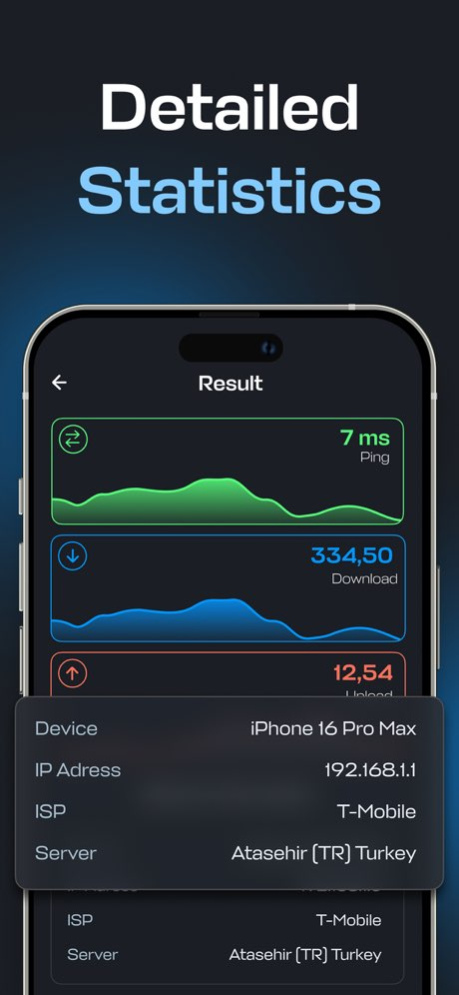
Whether you're on Wi-Fi, mobile data, or broadband, SpeedTest helps you understand the strength and stability of your network with just a tap.
With SpeedTest, you can instantly measure your internet performance. It empowers you to assess your download and upload speeds, evaluate ping and latency, and gain a clear picture of your overall network quality. All results are automatically logged, allowing you to track your internet performance over time and recognize any slowdowns, improvements, or patterns in your connection.
Why choose SpeedTest?
Accurate Speed Measurements
Test your internet speeds with precision. Whether you’re streaming, gaming, or working from home, SpeedTest uses advanced algorithms to deliver real-time, reliable results that reflect your actual connection performance. SpeedTest’s technology ensures accuracy in all conditions, making SpeedTest a trusted tool worldwide.
Instant Ping & Latency Insights
Monitor how responsive your network truly is. With detailed ping, jitter, and latency metrics, you can see how well your connection handles video calls, online gaming, and HD streaming-even under load.
Comprehensive History Tracking
SpeedTest stores your entire testing history, including timestamps, locations, and connection types. This allows you to compare results across different times and places, helping you identify trends and hold your internet provider accountable. SpeedTest keeps your data organized and accessible.
Test Across All Networks
No matter if you're on Wi-Fi, 4G/5G, or a wired broadband connection, SpeedTest adapts to your setup and gives you a consistent, unbiased assessment of your internet performance-ideal for comparing home, work, and public networks.
Private & Secure
Your privacy is our top priority. All tests are conducted locally on your device without collecting any personally identifiable information. Your results remain private and secure-always.
Whether you're troubleshooting a slow connection, comparing speeds in different locations, or just curious about your internet quality, SpeedTest provides the accurate insights and tools you need to stay informed and in control of your connectivity.
https://www.hypeyazilim.org/terms.html
https://www.hypeyazilim.org/privacy.html
https://www.hypeyazilim.org/terms.html
https://www.hypeyazilim.org/privacy.html
Version History - Metadata Updated 1.4 07/02/2025 - Metadata Updated 1.3 06/24/2025 - Bugs Fixed
- Metadata Updated 1.2 05/30/2025 - Metadata Updated
- Bugs Fixed 1.1 05/19/2025 1.0 05/08/2025
About SpeedTest- Wifi Analyzer 5G 4G
The company that develops SpeedTest- Wifi Analyzer 5G 4G is HYPE YAZILIM LIMITED SIRKETI. The latest version released by its developer is 1.4.
To install SpeedTest- Wifi Analyzer 5G 4G on your iOS device, just click the green Continue To App button above to start the installation process. The app is listed on our website since 2026-10-06 and was downloaded 7 times. We have already checked if the download link is safe, however for your own protection we recommend that you scan the downloaded app with your antivirus. Your antivirus may detect the SpeedTest- Wifi Analyzer 5G 4G as malware if the download link is broken.
How to install SpeedTest- Wifi Analyzer 5G 4G on your iOS device:
- Click on the Continue To App button on our website. This will redirect you to the App Store.
- Once the SpeedTest- Wifi Analyzer 5G 4G is shown in the iTunes listing of your iOS device, you can start its download and installation. Tap on the GET button to the right of the app to start downloading it.
- If you are not logged-in the iOS appstore app, you'll be prompted for your your Apple ID and/or password.
- After SpeedTest- Wifi Analyzer 5G 4G is downloaded, you'll see an INSTALL button to the right. Tap on it to start the actual installation of the iOS app.
- Once installation is finished you can tap on the OPEN button to start it. Its icon will also be added to your device home screen.
Program Details
System requirements
Download information
Pricing
Version History
version 1.4
posted on 2026-10-06
Version History - Metadata Updated 1.4 07/02/2025 - Metadata Updated 1.3 06/24/2025 - Bugs Fixed
- Metadata Updated 1.2 05/30/2025 - Metadata Updated
- Bugs Fixed 1.1 05/19/2025 1.0 05/08/2025
version 1.4
posted on 2025-07-02
- Metadata Updated
version 1.4
posted on 2025-07-02
Jul 2, 2025
Version 1.4
- Metadata Updated
